FTPSuite Blog
Guides on FTP automation for Mac
Tutorials, workflows and insights for Mac users who want FTP on autopilot.
Sports Photography FTP Workflow: The Complete Guide for Mac
The definitive complete guide: FTPush automates delivery from the field, FTPull receives at the newsroom. Works with Lightroom, Photoshop, Capture One and Photo Mechanic.
Read article →



 RAW
RAW
 JPEG
JPEG FTP
FTPThe Complete Sports Photography FTP Workflow: Shoot, Edit, Deliver: Without Leaving Capture One
How sports photographers use FTP automation to receive photos, edit in Capture One, and deliver finals to the picture desk.
Read article →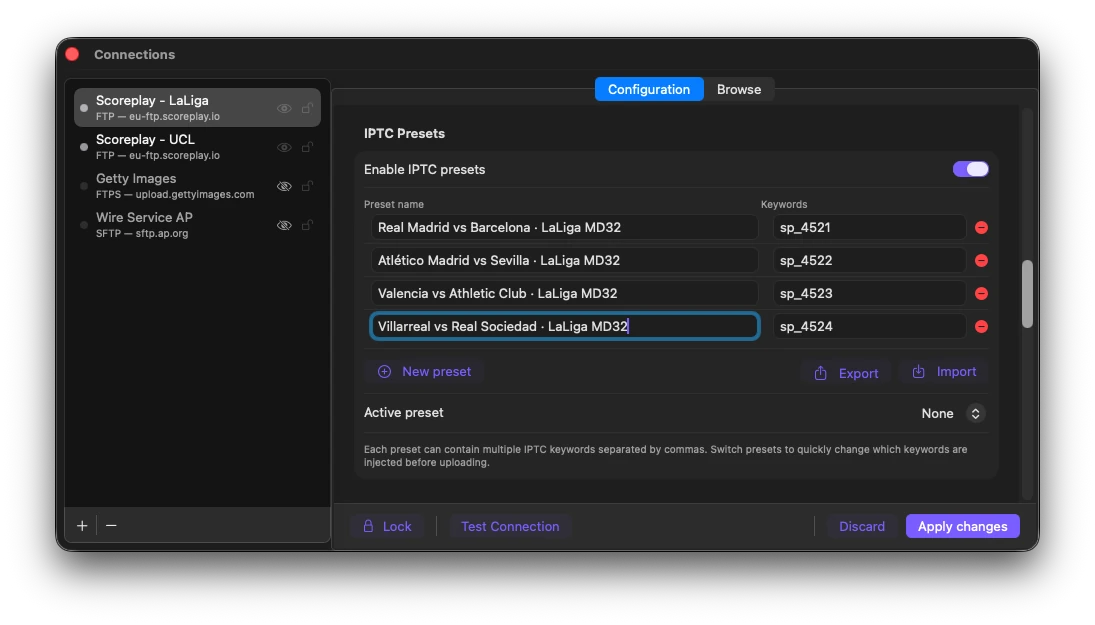
Auto-Route Sports Photos to ScorePlay with FTPush IPTC Keywords
Configure FTPush IPTC Presets once before the match and every photo you upload routes automatically to the right ScorePlay collection: no manual sorting needed.
Read article →How to Automate Uploads to Getty Images Media Manager via SFTP on Mac
Getty Images Media Manager has a built-in SFTP ingest endpoint. Here's how to configure FTPush to upload files automatically the moment they land in your local folder.
Read article →
How Sports Photographers Deliver Edited Photos During Live Events
The on-field workflow for delivering edited photos during live sports: PhotoMechanic culling, Capture One editing, and automatic FTP delivery with FTPush.
Read article →Automate Photo Delivery from PhotoMechanic to FTP with Metadata Triggers
Tag a photo in PhotoMechanic and it uploads automatically via FTP. No export step, no manual transfers: just one keystroke and delivery starts.
Read article → Mac
MacHow to Receive Photos Automatically from Photographers via FTP
Picture desks and agencies can stop manually refreshing FTP folders. Set up FTPull to download photos automatically the moment photographers upload them.
Read article →
How to Automatically Download Files from an FTP Server on Mac
Every time files arrive on your FTP server, someone has to open an FTP client, connect, check, and download. There's a better way: configure once and files arrive automatically.
Read article →SFTP vs FTPS: What's the Difference?
Both encrypt FTP transfers and both have an "S" in the name. But they are completely different technologies: here's what you need to know to choose the right one.
Read article →
How to Automate FTP Uploads for Photographers on Mac
Shooting tethered or exporting from Lightroom? FTPush can send files to a client or picture desk the moment they land in your export folder.
Read article →FTP, SFTP, and FTPS: Which Protocol Does Your Server Use?
Not sure whether your server uses FTP, SFTP, or FTPS? Here's how to figure it out: from checking the port to reading the control panel.
Read article →
How to Monitor an FTP Folder on Mac (Without Scripts)
The old approach (cron jobs and lftp) works but breaks silently and offers no feedback. Here's a better way to monitor a remote FTP folder on Mac.
Read article →The Best Way to Automate FTP Transfers on Mac in 2026
Scripts, Automator, general sync tools, or a dedicated app? We compare every approach honestly and explain what works best for different workflows.
Read article →How to Automate SFTP Product Feed Downloads for Ecommerce on Mac
Your supplier drops a CSV on their SFTP server every morning. You need it on your Mac before you start working. Here's how to automate that download.
Read article →How to Receive IP Camera FTP Snapshots on Mac Automatically
Most IP cameras upload snapshots via FTP when they detect motion. Here's how to get those files from the server to your Mac without manual downloads.
Read article →
FTP Security Best Practices for Mac Users
Plain FTP sends your password in cleartext. Learn how to secure your transfers with SFTP, SSH keys, and proper credential management on macOS.
Read article →
Troubleshooting FTP Connection Errors on Mac
Connection refused, timeout, login incorrect, TLS handshake failed. Here's what each error means and how to fix it.
Read article →
Automating File Delivery for Print Shops on Mac
Print shops still receive large PDFs and TIFFs via FTP. Automate the download so your prepress team gets files the moment clients upload them.
Read article →Sports Photography FTP Workflow with Photoshop
How to use Photoshop with FTPush for automatic FTP sports photo delivery. Image Processor, Save As and Export workflows.
Read article →Sports Photography FTP Workflow with Lightroom Classic
Configure Lightroom Classic export presets to deliver sports photos automatically via FTP using FTPush.
Read article →No articles found. Clear search

Special guides for the World Cup 2026
World Cup 2026 Pitchside Photo Delivery Workflow
The complete pitchside guide to delivering World Cup 2026 photos in seconds using FTPush.
Read article →World Cup 2026 Remote Photo Editing Workflow with FTPull
How remote editors can receive and edit World Cup photos automatically using FTPull on Mac.
Read article →